
I was the designated car researcher for my family—meaning I owned the chaos. The goal was boring on purpose: a reliable daily driver under $26k out-the-door, 2019–2022 model year, under ~60k miles, with adaptive cruise and blind-spot monitoring. Every listing looked great in isolation, but the moment I tried to compare them I’d lose the thread. One tab had the trim. Another hid dealer fees in a checkout screen. Another had a vague “minor damage reported” note. None of it lined up.
So I decided to treat it like a sourcing sprint: capture candidates fast, normalize the key fields, and make negotiation math easy. Cartrize ended up being the missing piece—not because it found cars for me, but because it kept every candidate comparable (and clickable) once they landed in the same table.
Day 1: stop bookmarking, start capturing
My old flow was bookmarks + screenshots + a half-finished spreadsheet. The spreadsheet always died because copying details was tedious and inconsistent: one site uses “Premium,” another uses “Limited,” another hides safety packages under “features,” and dealer pages love to rename options so you can’t compare quickly.
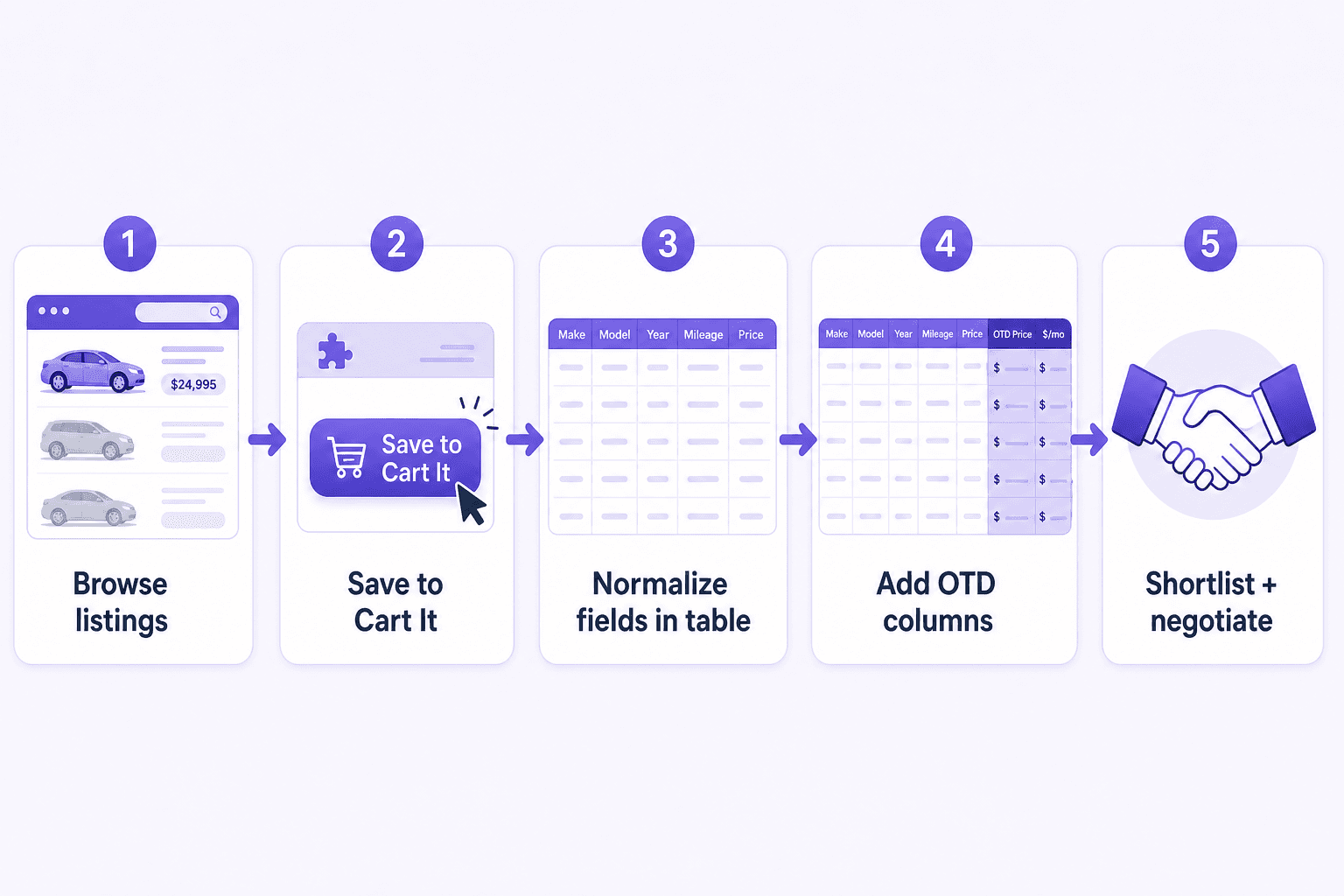
With Cartrize, I kept browsing normally. When a listing was worth a second look, I saved it. The point wasn’t perfection—it was speed. I could capture 12 candidates in an hour without breaking momentum, and I stopped worrying about “losing” the good ones to browser history.
Day 2: make the table reflect how you actually buy a car
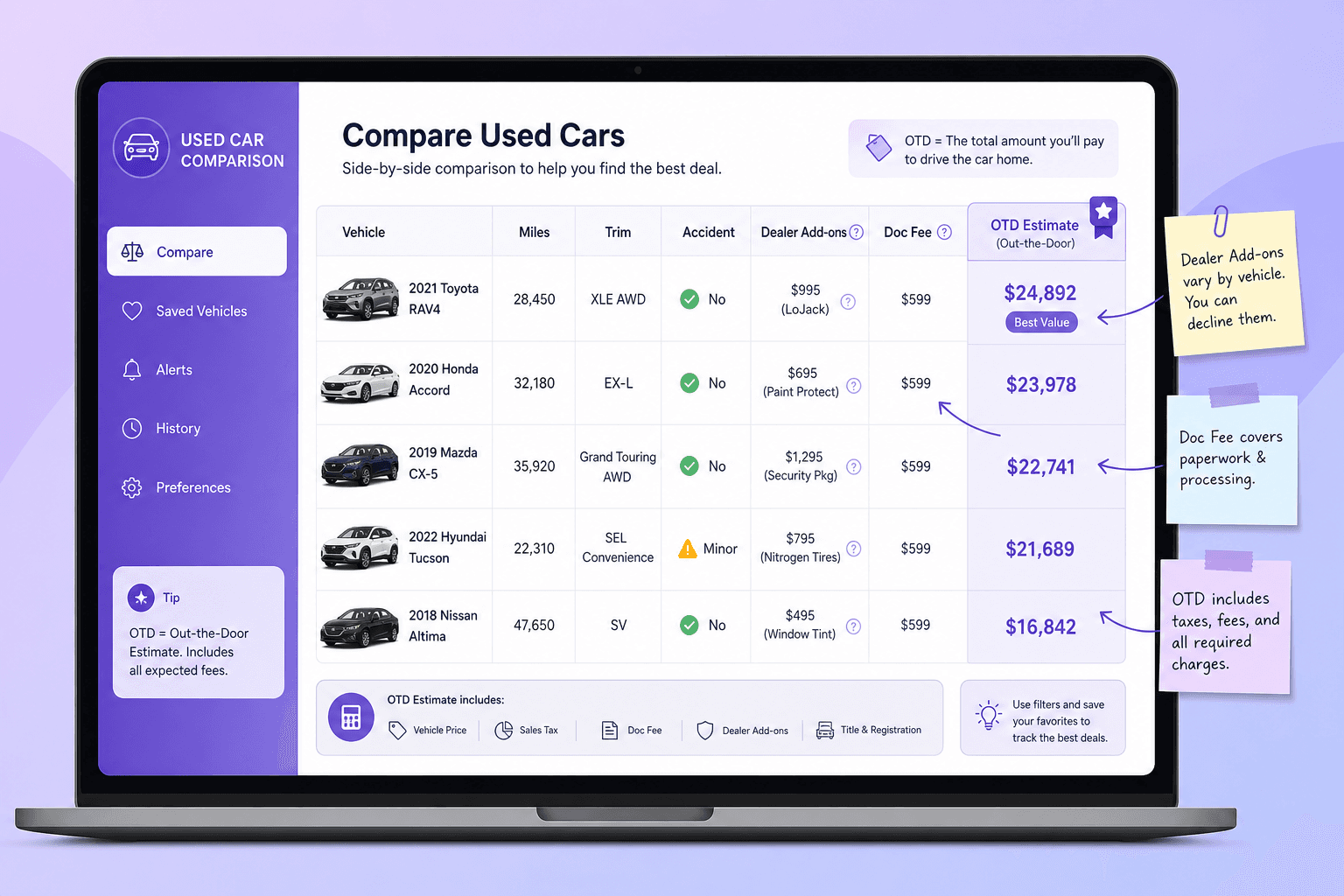
A listing price is not what you pay. The number I cared about was out-the-door (OTD): price + doc fee + dealer add-ons + taxes/registration (estimated). In practice it was the difference between “$23,995” and “$27,400” once the page tried to sneak in a $1,995 protection package and a $499 “reconditioning fee.” I added columns for the stuff that always derailed comparison when it lived in a tab somewhere:
- Trim (as written) + “my normalized trim” (so apples-to-apples stayed consistent).
- Mileage, year, drivetrain, and fuel type.
- Accident flags (my notes), title status, and “dealbreaker?” checkbox.
- Dealer add-ons (nitrogen tires, tint, “reconditioning,” etc.).
- OTD estimate and “max offer” number (so negotiation didn’t start from vibes).
- A single “link back to listing” field so verification was always one click.
“Once OTD and add-ons were columns, the ‘best deal’ cars stopped being mysterious.”
This is where Cartrize’s value really showed up: even when listings were written differently, I wasn’t re-reading them to remember the basics. I scanned a row, then clicked through only when something needed verification—like confirming a safety package, checking whether “one owner” was actually “personal + fleet,” or grabbing the VIN for an insurance quote.
Day 3: the shortlist becomes negotiable
By midweek I had 18 rows. That sounds worse, but it was better: the table made it obvious which cars were ‘cool’ but overpriced, which were cheap but risky, and which were legitimately strong candidates. The best part was how fast elimination became—because I wasn’t eliminating “cars,” I was eliminating rows based on consistent columns.
A few real examples that killed rows instantly:
- Two listings looked identical until mileage and accident notes sat next to each other (42k miles / clean vs 71k miles / “minor damage”).
- One dealer’s “great price” turned into the worst OTD once fees were columns (low sticker, high add-ons).
- A trim mismatch (missing adaptive cruise) was obvious once I normalized trims and made “safety package” a yes/no column.
- A “new tires” claim stopped mattering after I added a note column for tire age and tread depth from the inspection photo.
Day 4: negotiation is easier when your table already has the answer
When I had three finalists, I didn’t start by asking “what’s your best price?” I started with clarity: which car, what I’d verified, and what my OTD target was. Because I’d already estimated taxes/registration and flagged add-ons, I could make a clean offer without getting pulled back into tab purgatory.
For example, one row had: $24,650 sticker, $399 doc fee, $1,295 add-on package (non-negotiable), and an estimated $1,650 in taxes/registration. That’s ~$27,994 OTD. My table already had my max offer number, so I wasn’t negotiating in the dark.
The real win: fewer arguments, faster alignment
Before, every conversation started with “wait, which one was that?” and ended with someone reopening the same three tabs. With Cartrize, we could talk about trade-offs in one shared view: comfort vs mileage, risk vs price, must-haves vs nice-to-haves. The table made it easy to agree on the rules first, and only then pick the car that fit them best.
We didn’t buy the perfect car. We bought the best car for our constraints—and I could explain the decision with a row and a handful of columns instead of a pile of browser history.